SuperWin App for Android and iOS: Mobile Casino and Sports Betting in India

The SuperWin app brings the main features of the platform to a smartphone. Indian users can open casino games, check sports markets, place bets, manage their balance and follow account updates without sitting in front of a computer.
That sounds fairly standard for a betting app. Still, mobile access matters more than it may seem. A cricket match does not wait until you get home, and neither do changing live odds. Sometimes you only want to check a result, open the bet slip or play a few quick rounds during a break. Doing all of that through a mobile-friendly interface is simply easier.
According to the information published by SuperWin, mobile access is available for both Android and iOS devices. The application is presented as free to download, while the main download route leads through the platform website.
This guide explains what the SuperWin mobile app offers, how Indian users can download it, create an account, log in and use its casino, sportsbook and payment sections.
SuperWin Mobile App Overview for Indian Players
The SuperWin app is not described as a separate, limited version of the platform. It is designed to provide access to the same general areas users expect to find on the desktop website: casino games, sports betting, rewards, account settings and payments.
Its responsive design is especially useful on smaller screens. Menus, betting markets and game categories need to remain readable without constant zooming or awkward sideways scrolling. Nobody wants to fight with a tiny bet slip while a live market is already changing.
Here is a quick look at the main information currently associated with SuperWin mobile access:
| App characteristic | Details |
| Supported platforms | Android and iOS |
| Download price | Free |
| Main currency | Indian rupees |
| Platform sections | Casino, sportsbook and betting exchange |
| Account access | Registration and login available on mobile |
| Notifications | Account and platform updates |
| Payments | Deposits and withdrawals from a mobile account |
| Support | 24/7 assistance is stated on the platform |
| Languages | English and Hindi |
The app is useful not only for people who prefer playing on a phone. It also works well as a handy backup for desktop users who want quick access while travelling, waiting in line or simply relaxing away from the computer. There is no need to open a separate mobile account either — just log in with the same username and password you already use on the website.
What You Can Do in the SuperWin App
The useful part of a betting application is not its icon or loading screen. It is how easily the user can move between actual tasks.
The SuperWin app keeps the main parts of the platform in one place: games, sports betting, bonuses, payments and account updates. You can check the odds and place a bet on a cricket match, then switch over to a slot or live casino table without logging out or opening a separate account.
Play Mobile Casino Games
The casino section includes several common game categories. Players can browse slots, table games, live dealer tables and faster crash-style titles.

Slots are generally the easiest mobile games to open. Choose a title, set the stake and start playing. Modern video slots may also contain free spins, bonus rounds, multipliers and other built-in features.
Table game fans can look for familiar options such as:
- Roulette;
- Blackjack;
- Baccarat;
- Poker.
The SuperWin information page also mentions live dealer games. These use a video stream to connect the player to a real table and dealer. A stable internet connection is important here. Slots may tolerate a short connection slowdown, but a lagging live table is considerably less pleasant.
Crash games are another mobile-friendly category. Sessions are usually short, and the central decision is when to cash out before the round ends. Their simple appearance can be deceptive, though. Results remain unpredictable, and a rising multiplier is not a promise that it will continue rising.
Readers who want a closer look at individual categories can later visit the SuperWin online casino guide and the separate SuperWin live casino section.
Place Sports Bets from a Phone
Cricket is likely to draw the most attention, but the sportsbook is not limited to it. Football, tennis, basketball, volleyball and kabaddi are also listed on the platform. The choice of matches and markets will naturally change with the sporting schedule.
Inside a mobile sportsbook, the normal process is straightforward. Select a sport, open a match, choose a market and check the selection in the bet slip. Before confirming anything, look at the stake and odds again. One rushed tap can change a normal wager into a very annoying mistake.
Live betting requires even more attention. Odds can move quickly, and a selected price may be updated before the wager is accepted. A good mobile connection helps, but users should still read the final bet slip rather than relying on the number they saw a few seconds earlier.
More detailed explanations of markets, odds and bet types can be placed on the future SuperWin sports betting page.

For many Indian users, mobile betting is closely tied to cricket. The app makes it easy to check the markets before a match begins, follow how the odds move during play and return later to see how a bet was settled.
Manage Rewards and Account Updates
The app provides access to rewards and may send notifications about account activity or platform updates. These notifications can be convenient, although there is no need to keep every promotional alert switched on.
Important security, verification or payment messages deserve attention. Promotional messages are a matter of preference. Users can usually manage notification permissions through the phone settings.
Welcome rewards may be available during registration or after the first deposit. Bonus percentages, maximum amounts, wagering rules and eligible games should always be checked in the current promotion terms. A large number in a banner rarely tells the whole story.
The complete conditions should eventually be covered in a dedicated SuperWin bonuses guide.
SuperWin App Download for Android
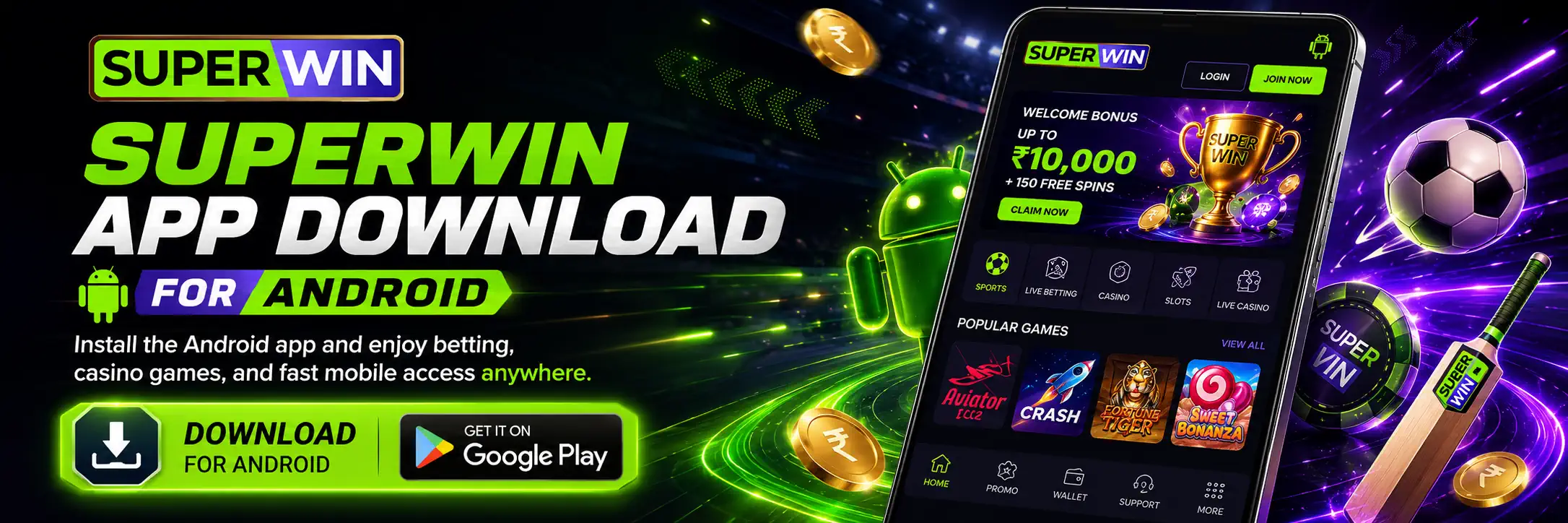
The current platform information states that the Android application can be obtained through the SuperWin website. It does not provide a confirmed APK size, exact Android requirement or current version number.
Because these details may change, players should check the information shown on the download screen rather than relying on an old guide.
A typical Android download process looks like this:
- Open the SuperWin website through the browser on your Android phone.
- Find the mobile app or Android download button.
- Start the download and wait for the installation file to reach the device.
- Open the downloaded file.
- Allow installation from the browser when Android requests permission.
- Complete the installation and open the app.
- Log in with an existing account or start registration.
Android may block an installation file downloaded outside Google Play. This is a normal security feature. Users should grant permission only to the browser used for the download and switch it off again afterwards.
Avoid APK files shared through random forums, file-hosting pages or private messages. Even when the filename looks correct, the application may have been modified. The safest practical route is to begin from the website address you intended to visit and check it carefully before downloading anything.
Possible Android Installation Problems
The app won’t install? Don’t worry — it is often something simple. Maybe the download did not finish, your phone is running low on storage, or the Android version is a little too old.
Try deleting the file and downloading it once more. If the app still refuses to install, restart the phone and check the security settings. Android may just need permission to install an app that did not come from the Play Store.
The homepage does not publish detailed Android technical requirements. Therefore, users with older devices should rely on the compatibility message shown during installation.
SuperWin App Download for iPhone and iPad
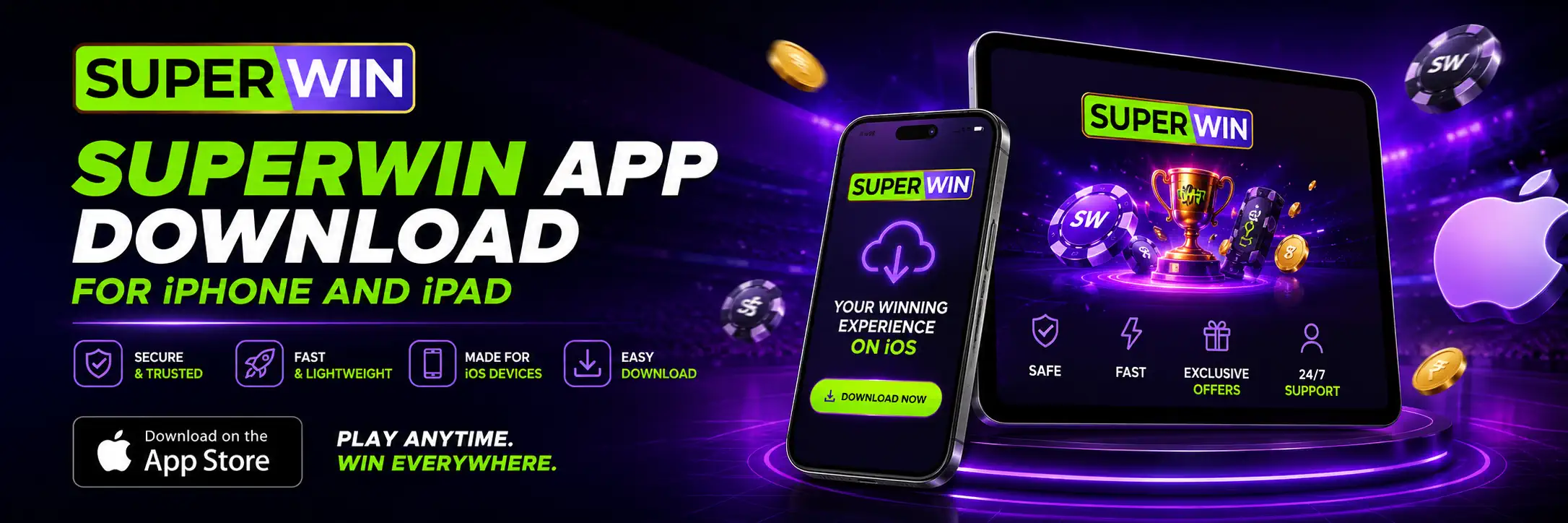
SuperWin also lists iOS among its supported mobile platforms. However, the available source information does not clearly confirm whether the current iPhone version is distributed through the App Store, a direct website route or another installation method.
For that reason, iOS users should open the mobile section of the platform and follow the current instructions shown there.
A normal iOS setup process may involve the following steps:
- Visit the SuperWin mobile page using Safari.
- Select the iOS download or mobile access option.
- Follow the displayed installation instructions.
- Confirm any permission requested by iOS.
- Open the installed app or saved mobile shortcut.
- Sign in using the registered account details.
Players should not install configuration profiles received through unknown messages or unofficial websites. Apple devices normally display several warnings when an unfamiliar profile or application is being added. Those warnings should not be ignored just to finish the process faster.
When a separate iOS application is unavailable, the mobile website may provide a similar experience through Safari. Users can also add the page to the iPhone home screen for quicker access.
Mobile App and Browser Version Compared
Downloading an application is not compulsory for every user. The mobile website may be enough for someone who places an occasional bet or does not want another app taking up storage.
| Feature | SuperWin app | Mobile browser |
| Access speed | Opens directly from the phone screen | Requires opening the browser |
| Installation | Required | Not required |
| Storage use | Uses device storage | Minimal local storage |
| Notifications | May provide direct app alerts | Browser support may be limited |
| Updates | App may require updating | Website updates automatically |
| Casino and sportsbook | Designed for mobile use | Available through responsive pages |
| Best suited for | Regular mobile users | Occasional access |
The better option depends on personal habits. Frequent users may prefer the direct access and notifications of the app. Someone who logs in once or twice a week may see little reason to install it.
There is no betting advantage attached to the app itself. Mobile access does not improve odds, change game results or make a wager more likely to win.
How to Register Through the SuperWin App
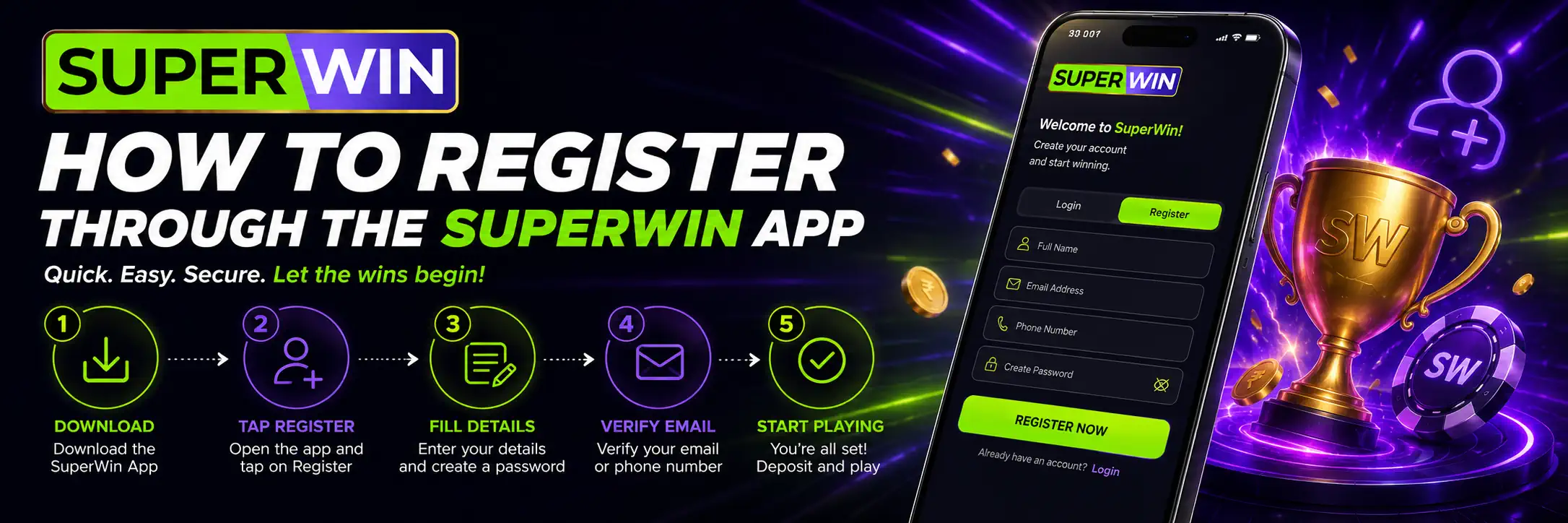
You can register through the SuperWin app or directly on the website — the process is much the same either way. You will be asked for a few basic details, including your full name, email, phone number and date of birth.
Next, choose your login details and check whether a welcome offer is available. It is better not to rush this part. A small typo in your name, the wrong date of birth or a phone number that is not yours can cause unnecessary problems later, especially during verification or when you try to withdraw funds.
Once the form is filled in, create the account and confirm it using the link or code sent to your email or phone.
Registration should be limited to adults who are legally permitted to use gambling services in their location. Creating several accounts to repeat a welcome promotion may also lead to account restrictions.
A separate SuperWin registration and login guide can explain the process and common access problems in greater detail.
SuperWin App Login and Account Access
Existing users can open the app, select Login and enter the same credentials used during registration.
Saving a password on a private device may be convenient, but it is not always a good idea on a shared phone. A screen lock, fingerprint or face recognition gives the account another layer of protection.
Never send a password or one-time verification code to someone claiming to be a support agent. A legitimate support conversation may require basic account information, but a password should remain private.
When login fails, check for simple issues first: wrong letter case, an extra space, an outdated saved password or a weak mobile connection. Use the password recovery option when the credentials cannot be remembered.
Repeatedly guessing the password may temporarily lock access, so resetting it is usually better than trying ten different versions.
Verification in the Mobile App
SuperWin states that account verification may include confirmation by email, a code sent to the registered phone and the submission of identity documents.
The source page says that document approval may take up to 24 hours. Actual timing can depend on document quality, account details and support workload.
Users should upload clear, uncropped images and make sure the information matches the registration form. The precise list of accepted documents should be checked inside the verification section because the current homepage does not explain the requirements clearly enough.
Verification may feel like an extra obstacle, especially when someone only wants to make a withdrawal. Still, submitting correct information early is usually less stressful than dealing with it after a payment request has already been placed.
Deposits and Withdrawals in the SuperWin App
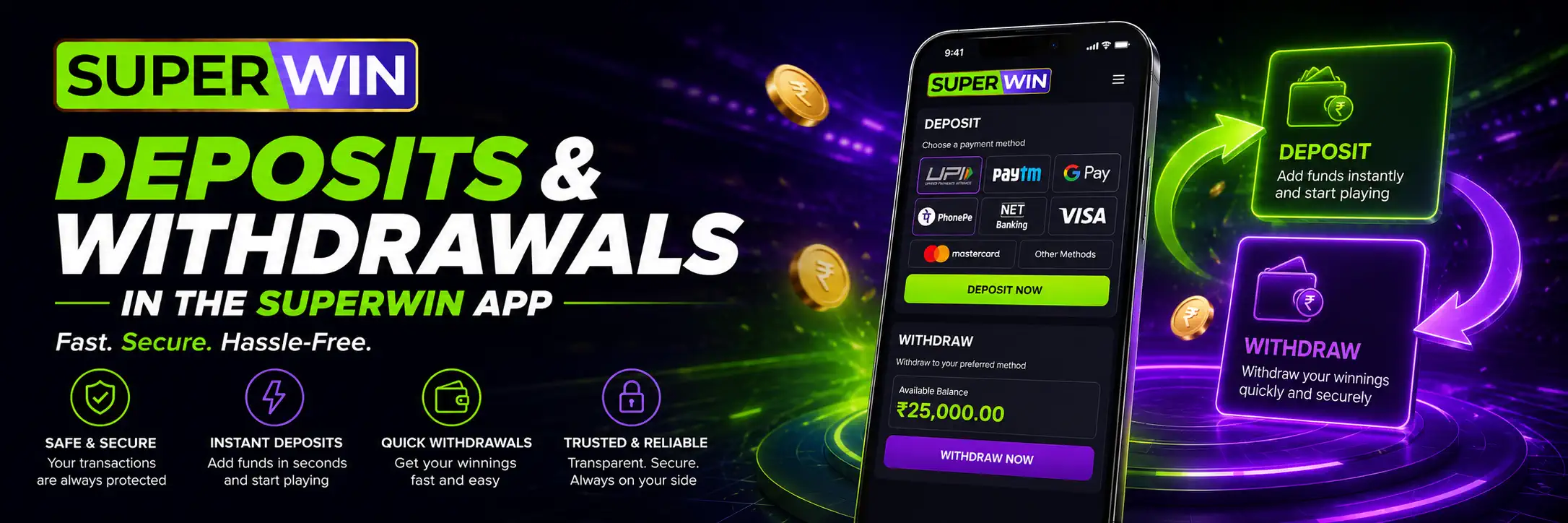
The mobile app is described as supporting account payments. The main SuperWin page lists several methods commonly used by Indian players, including UPI, NetBanking, bank cards and digital wallets.
| Payment method | Stated minimum deposit | Stated maximum deposit | Stated minimum withdrawal | Stated maximum withdrawal |
| UPI | ₹500 | ₹50,000 | ₹500 | ₹50,000 |
| NetBanking | ₹500 | ₹50,000 | ₹500 | ₹50,000 |
| Visa/Mastercard | ₹1,000 | ₹100,000 | ₹1,000 | ₹100,000 |
| Paytm | ₹500 | ₹50,000 | ₹500 | ₹50,000 |
| Skrill | ₹1,000 | ₹200,000 | ₹1,000 | ₹200,000 |
| PhonePe | ₹500 | ₹50,000 | ₹500 | ₹50,000 |
| AstroPay | ₹500 | ₹50,000 | ₹500 | ₹50,000 |
| Google Pay | ₹500 | ₹50,000 | ₹500 | ₹50,000 |
These figures come from the current homepage and should be treated as stated platform limits rather than permanent values. The cashier may display different options based on the account, location, verification status or current payment availability.
Before confirming a deposit, check the amount, payment channel and any bonus attached to it. Before withdrawing, review the minimum amount and whether verification has been completed.
The future SuperWin deposit and withdrawal guide should contain more detailed cashier instructions.
FAQ
Is the SuperWin app available for Android?
Yes. Android is listed as a supported platform. Users are directed to obtain mobile access through the SuperWin website.
Can I use SuperWin on an iPhone?
The platform lists iOS support. The exact current installation route should be checked on the mobile download page because the homepage does not clearly state whether distribution is handled through the App Store or another method.
Can I place cricket bets from the app?
Cricket is included among the sports presented by SuperWin. Market availability depends on the matches and tournaments currently offered.
Does the app include casino games?
Yes. The casino information mentions slots, table games, live dealer games and crash games.